Why your Nest thermostat might be short-cycling your furnace in Matthews Beach
Your Nest thermostat is turning your furnace on and off every few minutes instead of running through a complete heating cycle. This short-cycling wastes energy and puts unnecessary wear on your system. The problem is common in Matthews Beach homes built before 2010 where older wiring and Seattle’s damp climate create unique challenges for smart thermostats. Who to call for 24 hour emergency furnace repair in West Seattle.
The issue often starts when your Nest tries to maintain temperature by constantly adjusting the furnace. Instead of letting your system run for 10-15 minutes to reach the set point, it fires up the burners for 30 seconds then shuts down. This creates a frustrating cycle where your home never feels consistently warm.. Read more about Integrating your security system with your HVAC for a safer Somerset home in 2026.
Before you blame your furnace or call for expensive repairs, understanding what causes Nest short-cycling in Matthews Beach homes can save you time and money. The problem usually stems from wiring compatibility, software settings, or local environmental factors that affect how your thermostat communicates with your heating system. EPA HVAC efficiency standards.
Common symptoms of Nest thermostat short-cycling
Short-cycling furnaces show several telltale signs that are easy to spot once you know what to look for. Your furnace runs for less than five minutes at a time then shuts off abruptly. The blower motor cycles on and off rapidly even when your home isn’t at the target temperature. You hear clicking sounds from your thermostat every few minutes as it tries to restart the heating cycle.. Read more about What every University District renter needs to know about Seattle heating laws and landlord responsibilities.
Another red flag is inconsistent room temperatures. Some areas feel warm while others stay cold because the short bursts of heat never distribute evenly through your home. Your energy bills spike because your system uses more power starting up repeatedly than it would running through complete cycles.
Watch for the blue cooling icon on your Nest when your furnace should be heating. This indicates the thermostat is confused about which mode to use. The Home/Away Assist feature can also trigger short-cycling if it detects motion incorrectly and keeps adjusting the temperature.
The C-wire problem in Seattle’s older homes
Most Matthews Beach homes built before 2010 lack a dedicated C-wire (common wire) that provides continuous power to smart thermostats. Without this wire, your Nest steals power from your furnace through the Rh (power) and W1 (heat) terminals. This creates voltage fluctuations that confuse your furnace’s control board.. Read more about Choosing easy to use HVAC controls and thermostats for seniors living in Horizon View.
When your Nest steals power, it causes your furnace to pulse on and off rapidly. The control board senses the voltage drop and thinks it needs to restart. This creates a feedback loop where the thermostat and furnace constantly reset each other. The problem gets worse during Seattle’s damp winters when humidity affects electrical connections. Why your Ballard home needs professional furnace repair before the first freeze.
Installing a C-wire requires running new thermostat wire from your furnace to your wall mount. This typically means cutting small holes in walls and fishing wire through existing pathways. The cost ranges from $150-300 in Matthews Beach depending on your home’s construction and how far your thermostat is from the furnace.
Call (564) 220-5899 today to schedule your C-wire installation before the next cold snap hits.
Specific Nest error codes and what they mean
Your Nest displays different error codes when it encounters communication problems with your furnace. E73 means low battery voltage, usually caused by C-wire issues or power stealing. E74 indicates the thermostat is having trouble detecting your furnace, often from loose wiring or control board problems.
N260 appears when your Nest can’t maintain a stable connection with your HVAC system. This code commonly shows up in Matthews Beach homes where older wiring can’t handle the power demands of modern smart thermostats. The N131 error means your thermostat is having trouble entering heat mode, which could indicate a software glitch or wiring mismatch.
These codes help diagnose whether the problem is with your thermostat or your furnace. If you see error codes, try restarting your Nest by pressing the ring for 10 seconds until it turns off. If codes persist after rebooting, the issue likely involves your home’s wiring or furnace control board.
Is it your Nest or your furnace causing problems?
Before assuming your thermostat is faulty, test whether your furnace works independently. Turn off power to your Nest at the circuit breaker. Remove the thermostat from the wall and locate the Rh and W1 terminals on the wall plate.
Using insulated pliers, carefully touch the Rh and W1 wires together. This manually completes the circuit and should start your furnace if the heating system is functional. If your furnace fires up and runs normally, the problem is with your Nest or the wiring between them.
If your furnace doesn’t start when you jump the wires, the issue is with your heating system. Common furnace problems that cause short-cycling include dirty flame sensors, faulty limit switches, or control board failures. These require professional diagnosis since they involve high-voltage components and gas lines.
Listen for clicking sounds from your furnace when you jump the wires. No clicking means the control board isn’t receiving the signal. Rapid clicking indicates the board is trying to start but failing, which points to specific component failures.
Software settings that affect Nest performance
Your Nest’s learning algorithm can actually cause short-cycling if it misinterprets your home’s heating patterns. The Early-On feature tries to start heating before your scheduled time to reach the target temperature. If it overestimates how quickly your home heats, it may turn the furnace on and off trying to fine-tune the temperature.
Open your Nest app and check the Settings menu. Turn off Early-On and see if short-cycling improves. The Home/Away Assist feature can also create problems if it detects motion incorrectly and keeps adjusting the temperature. Disable this temporarily to test if it’s causing your issues.
Temperature swing settings control how much your home’s temperature can vary before the thermostat activates heating. A narrow swing of 1-2 degrees causes more frequent cycling. Try widening this to 3-4 degrees to see if it reduces short-cycling. Your furnace will run longer but less often.
Check for software updates in your Nest app. Outdated firmware can cause communication problems with older furnaces. Updates often include fixes for compatibility issues with specific HVAC brands common in Matthews Beach homes.
When to call a Seattle HVAC professional
Some Nest and furnace problems require professional tools and expertise. If you’ve tried basic troubleshooting and your furnace still short-cycles, call a technician. Signs you need professional help include burning smells from your thermostat, frequent error codes, or your furnace not producing heat at all.
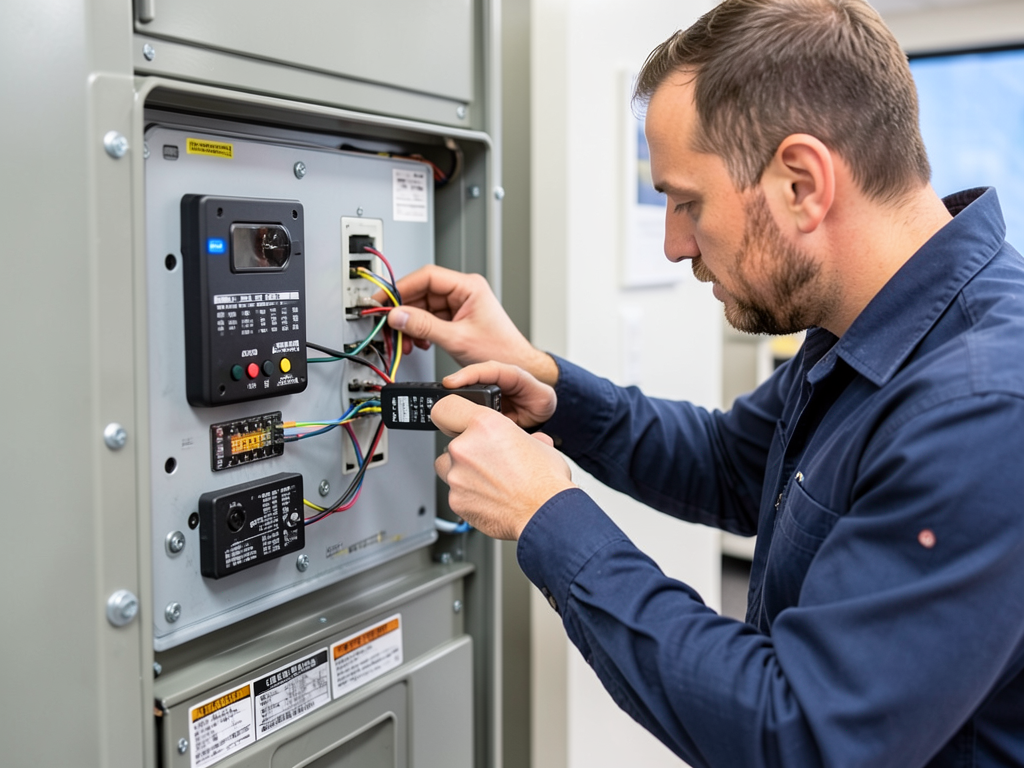
Professional diagnosis involves testing voltage at your thermostat terminals with a multimeter. A technician checks for proper 24V AC power and tests continuity in your wiring. They also examine your furnace’s control board for damage from voltage fluctuations caused by power stealing.
Gas furnace issues require immediate professional attention. If you smell gas, hear unusual noises from your furnace, or see yellow flames instead of blue, shut off your system and call for emergency service. These symptoms indicate dangerous conditions that could lead to carbon monoxide leaks or fires. Weekend HVAC Service.
Professional C-wire installation includes proper wire sizing and secure connections. Technicians use special tools to test the circuit after installation and ensure your Nest receives stable power. This prevents the voltage fluctuations that cause short-cycling and protects your furnace’s control board from damage.
Comparing common furnace brands in Matthews Beach
| Furnace Brand | Common Issues with Nest | Compatibility Notes |
|---|---|---|
| Trane | Control board sensitivity | Often needs C-wire |
| Carrier | Power stealing problems | Check model year |
| Bryant | Wiring harness issues | Factory wiring diagram needed |
| Rheem | Transformer compatibility | May need voltage boost |
| York | Communication delays | Update thermostat firmware |
Steps to diagnose Nest short-cycling yourself
- Check thermostat power
Remove your Nest from the wall and check for the C-wire terminal. If it’s empty, your system lacks continuous power.
- Test furnace independently
Jump the Rh and W1 wires at the wall plate. If the furnace runs normally, the problem is with your thermostat.
- Inspect wiring connections
Look for loose or corroded wires at both the thermostat and furnace control board. Tighten any loose connections.
- Check air filter
A dirty filter can cause short-cycling by restricting airflow. Replace if it’s more than three months old.
- Monitor error codes
Write down any error codes that appear on your Nest screen. These help technicians diagnose specific problems.
Preventing future Nest and furnace conflicts
Regular maintenance prevents most smart thermostat and furnace compatibility issues. Replace your air filter every three months to ensure proper airflow. Clean your flame sensor annually with fine sandpaper to prevent ignition problems that cause short-cycling. Preventative HVAC maintenance plans that actually save money for Redmond families.
Schedule professional HVAC maintenance every fall before heating season. Technicians test voltage levels, check control board operation, and clean components that affect thermostat communication. This prevents the cascading failures that lead to short-cycling.
Consider upgrading older furnaces that lack modern control boards. Furnaces over 15 years old often have outdated electronics that struggle with smart thermostats. New high-efficiency models include built-in Wi-Fi and work seamlessly with devices like Nest.
Install a whole-home surge protector to safeguard your HVAC system from voltage spikes. Seattle’s electrical grid experiences fluctuations during storms that can damage sensitive control boards. Protection prevents the electrical issues that cause thermostat communication failures.
Understanding Matthews Beach’s unique HVAC challenges
Matthews Beach homes face specific challenges that affect smart thermostat performance. The neighborhood’s proximity to Lake Washington creates higher humidity levels that affect electrical connections and thermostat sensors. Older homes built in the 1960s and 1970s often have outdated wiring that can’t support modern smart devices. Washington State Energy Code.
Many Matthews Beach properties use Bryant and Carrier furnaces common in Pacific Northwest construction from that era. These brands sometimes have compatibility issues with Nest thermostats due to differences in control board architecture. The area’s soil composition also affects underground wiring, with clay soil causing more moisture infiltration than sandy areas.
Seattle’s building codes have evolved to require C-wires in new construction, but older Matthews Beach homes weren’t built to these standards. The Washington State Energy Code mandates specific wiring configurations, but compliance only applies to new installations, not existing homes.
Local utility providers like Seattle City Light and Puget Sound Energy offer rebates for smart thermostat installations, but these programs don’t address the underlying wiring issues that cause short-cycling in older homes.
Frequently Asked Questions
Why does my Nest keep turning my furnace on and off?
Your Nest likely lacks a C-wire, causing it to steal power from your furnace. This creates voltage fluctuations that make your furnace pulse on and off. Other causes include dirty flame sensors, control board problems, or software settings that cause the thermostat to constantly adjust temperature.
Can I install a C-wire myself?
Installing a C-wire requires running new thermostat wire from your furnace to your wall mount. This involves cutting drywall, fishing wires through walls, and making proper electrical connections. While possible for experienced DIYers, mistakes can damage your HVAC system or create fire hazards. Professional installation ensures proper wiring and testing.
How much does C-wire installation cost in Matthews Beach?
C-wire installation in Matthews Beach typically costs $150-300. The price varies based on your home’s construction, how far your thermostat is from the furnace, and whether walls need patching. Some installations require upgrading your thermostat wire to handle the additional conductor.
Will a C-wire fix all my Nest problems?
A C-wire solves most power-related issues but won’t fix problems with your furnace itself. If your furnace has dirty sensors, failing control boards, or airflow restrictions, it will still short-cycle even with proper thermostat power. A C-wire ensures your Nest has stable power but doesn’t repair mechanical furnace issues.
Don’t let your furnace short-cycle through another cold night. Call (564) 220-5899 now for expert diagnosis and repair.
You may also find this helpful. Preparing your Maple Valley furnace for the first damp days of fall.
You may also find this helpful. Stopping the annoying vibrations and rattles in your older Tangletown house.
{
“@context”: “https://schema.org”,
“@type”: “BlogPosting”,
“headline”: “Why your Nest thermostat might be short-cycling your furnace in Matthews Beach”,
“description”: “Your Nest thermostat is short-cycling your furnace. Learn why common wiring issues and software glitches cause this in Matthews Beach homes. Call (564) 220-5899 for expert repair.”,
“wordCount”: 1993,
“datePublished”: “2026-05-22T06:57:00.000Z”,
“dateModified”: “2026-05-22T06:57:00.000Z”,
“inLanguage”: “en-US”,
“mainEntityOfPage”: {
“@type”: “WebPage”,
“@id”: “https://peakhvacseattle.com”
},
“publisher”: {
“@type”: “LocalBusiness”,
“name”: “Peak HVAC Seattle”,
“url”: “https://peakhvacseattle.com”
},
“author”: {
“@type”: “Organization”,
“name”: “Peak HVAC Seattle”,
“url”: “https://peakhvacseattle.com”
},
“image”: {
“@type”: “ImageObject”,
“url”: “https://peakhvacseattle.com/wp-content/uploads/2026/03/why-your-nest-thermostat-might-be-short-cycling-yo-1.png”
}
}
{
“@context”: “https://schema.org”,
“@type”: “HVACBusiness”,
“name”: “Peak HVAC Seattle”,
“url”: “https://peakhvacseattle.com”,
“address”: {
“@type”: “PostalAddress”,
“addressLocality”: “Seattle”
},
“areaServed”: {
“@type”: “City”,
“name”: “Seattle”
}
}
{
“@context”: “https://schema.org”,
“@type”: “FAQPage”,
“mainEntity”: [
{
“@type”: “Question”,
“name”: “Is it your Nest or your furnace causing problems?”,
“acceptedAnswer”: {
“@type”: “Answer”,
“text”: “Before assuming your thermostat is faulty, test whether your furnace works independently. Turn off power to your Nest at the circuit breaker. Remove the thermostat from the wall and locate the Rh and W1 terminals on the wall plate.”
}
},
{
“@type”: “Question”,
“name”: “Why does my Nest keep turning my furnace on and off?”,
“acceptedAnswer”: {
“@type”: “Answer”,
“text”: “Your Nest likely lacks a C-wire, causing it to steal power from your furnace. This creates voltage fluctuations that make your furnace pulse on and off. Other causes include dirty flame sensors, control board problems, or software settings that cause the thermostat to constantly adjust temperature.”
}
},
{
“@type”: “Question”,
“name”: “Can I install a C-wire myself?”,
“acceptedAnswer”: {
“@type”: “Answer”,
“text”: “Installing a C-wire requires running new thermostat wire from your furnace to your wall mount. This involves cutting drywall, fishing wires through walls, and making proper electrical connections. While possible for experienced DIYers, mistakes can damage your HVAC system or create fire hazards. Professional installation ensures proper wiring and testing.”
}
},
{
“@type”: “Question”,
“name”: “How much does C-wire installation cost in Matthews Beach?”,
“acceptedAnswer”: {
“@type”: “Answer”,
“text”: “C-wire installation in Matthews Beach typically costs $150-300. The price varies based on your home’s construction, how far your thermostat is from the furnace, and whether walls need patching. Some installations require upgrading your thermostat wire to handle the additional conductor.”
}
},
{
“@type”: “Question”,
“name”: “Will a C-wire fix all my Nest problems?”,
“acceptedAnswer”: {
“@type”: “Answer”,
“text”: “A C-wire solves most power-related issues but won’t fix problems with your furnace itself. If your furnace has dirty sensors, failing control boards, or airflow restrictions, it will still short-cycle even with proper thermostat power. A C-wire ensures your Nest has stable power but doesn’t repair mechanical furnace issues.”
}
}
]
}
{
“@context”: “https://schema.org”,
“@type”: “HowTo”,
“name”: “Diagnose Nest Short-Cycling”,
“step”: [
{
“@type”: “HowToStep”,
“position”: 1,
“name”: “Check thermostat power”,
“text”: “Remove your Nest from the wall and check for the C-wire terminal. If it’s empty, your system lacks continuous power.”
},
{
“@type”: “HowToStep”,
“position”: 2,
“name”: “Test furnace independently”,
“text”: “Jump the Rh and W1 wires at the wall plate. If the furnace runs normally, the problem is with your thermostat.”
},
{
“@type”: “HowToStep”,
“position”: 3,
“name”: “Inspect wiring connections”,
“text”: “Look for loose or corroded wires at both the thermostat and furnace control board. Tighten any loose connections.”
},
{
“@type”: “HowToStep”,
“position”: 4,
“name”: “Check air filter”,
“text”: “A dirty filter can cause short-cycling by restricting airflow. Replace if it’s more than three months old.”
},
{
“@type”: “HowToStep”,
“position”: 5,
“name”: “Monitor error codes”,
“text”: “Write down any error codes that appear on your Nest screen. These help technicians diagnose specific problems.”
}
],
“image”: “https://peakhvacseattle.com/wp-content/uploads/2026/03/why-your-nest-thermostat-might-be-short-cycling-yo-1.png”
}
{
“@context”: “https://schema.org”,
“@type”: “BreadcrumbList”,
“itemListElement”: [
{
“@type”: “ListItem”,
“position”: 1,
“name”: “Home”,
“item”: “https://peakhvacseattle.com”
},
{
“@type”: “ListItem”,
“position”: 2,
“name”: “Blog”,
“item”: “https://peakhvacseattle.com/blog”
},
{
“@type”: “ListItem”,
“position”: 3,
“name”: “Why your Nest thermostat might be short-cycling your furnace in Matthews Beach”
}
]
}
{
“@context”: “https://schema.org”,
“@type”: “Service”,
“serviceType”: “HVAC”,
“provider”: {
“@type”: “LocalBusiness”,
“name”: “Peak HVAC Seattle”,
“url”: “https://peakhvacseattle.com”
},
“areaServed”: {
“@type”: “City”,
“name”: “Seattle”
},
“description”: “Your Nest thermostat is short-cycling your furnace. Learn why common wiring issues and software glitches cause this in Matthews Beach homes. Call (564) 220-5899 for expert repair.”
}